How I created AI tooling that improved employee workflows by 3x for 40% of employees.
Overview

Royal Bank of Canada (RBC) is the largest financial institution in Canada and aims to generate $700 million in AI-driven value by 2027.
I partnered with executives to align the company's AI strategy across 15 departments. I developed two approaches for improving employee workflows with AI:
Let employees bring their own data & documents to a general AI summarization tool. This shifts responsibility and risk from the organization to the employee.
Deeply understand specific workflows and use AI to improve them. This lets RBC to provide tailored solutions while maintaining control over internal data.
I've worked at RBC for 5 years in various departments like financial crime, innovation, and internal tools. This let me understand the enterprise landscape for my current role, leading the Enterprise AI pillar for 1.5 years.
Timeline
Key Skills
0 to 1 product
Cross-org scaling
Product strategy
Design systems
Role
Lead Product Designer
Interim Lead Product Manager
Team
50 engineers
15+ VPs & Directors
5 project managers
5 designers
Problem
Employees are using commercial AI tools like ChatGPT for work tasks, exposing internal data and acting on inaccurate results since these tools lack RBC-specific information.
Product Strategy
To prevent further exposure of internal data, RBC blocked external AI tools on company-issued devices.
However, employees found these AI tools very helpful for their daily work. So, we wanted to continue providing some access while keeping the data secure. We launched a GenAI website powered by Cohere, a Canadian AI company. This partnership let us to use Cohere's capabilities while maintaining ownership of the company's data.
This was only a partial solution since this company's data sources couldn't provide employees with RBC-related results. If I asked it for "How many vacation days do I have?", it would reply with "I'm not sure".
The “right” response depended on who was asking, their access level, how they were using the tool, and potential biases in the system. We had to consider the ethical risks of the results.
I wanted to understand what information to surface for an employees based on their goals and job. Then, we would be able to show RBC-related responses in the general AI tooling.
Solution
I built custom AI workflows that let employees to use AI confidently in their daily work.
We identified RBC's cost centers that offered the highest impact with the least risk. We started with HR, then expanded to risk, compliance, IT, operations, legal, and finance.
Each workflow was thoroughly tested with its target audience before being merged into the central GenAI platform.
Since all solutions would eventually merge into the central platform, I created a design system that worked across everything we built. This set a company-wide standard for the UX of AI tools.






MVP
Our MVP improved the employee benefits chatbot for HR and reduced calls to the HR Advice Center by 60%.
Each year, the HR advice center receives numerous inquiries from employees seeking benefit clarification. Since employees have the same benefits based on their level—an intern has the same health benefits as another intern, a director has the same as another director—HR was handling many redundant calls. The existing chatbot could only answer general questions from the employee handbook.
We analyzed HR advice center inquiry tickets related to benefits and gathered the employee handbook for each level. I then created a chatbot that recognizes each user's profile (level, department, tenure, etc.) and delivers tailored results.
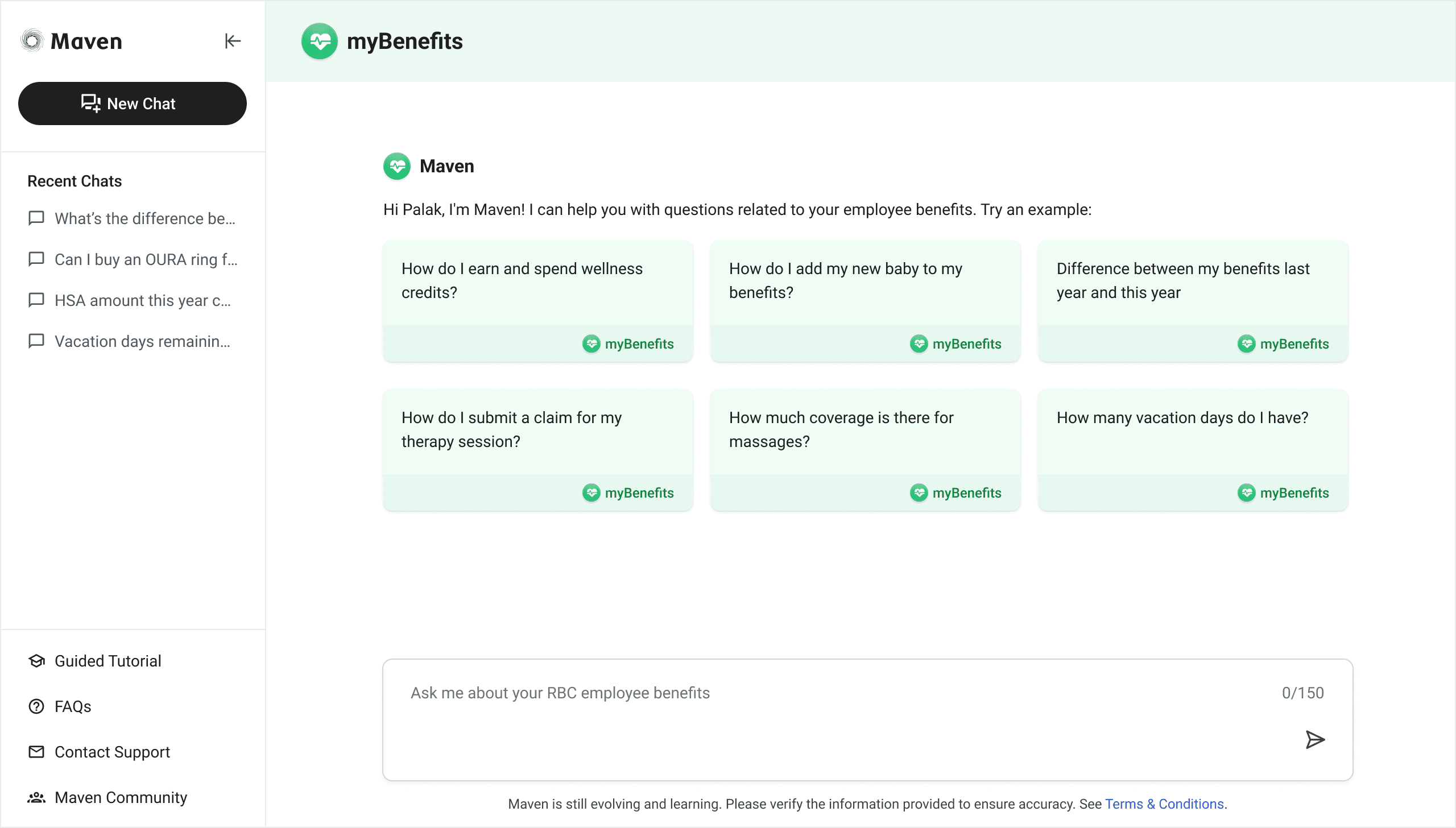
Example prompts
Users see a set of curated prompts to help them get started. This gives them a quick sense of what questions they can ask and builds trust in the system by showing high-quality results.
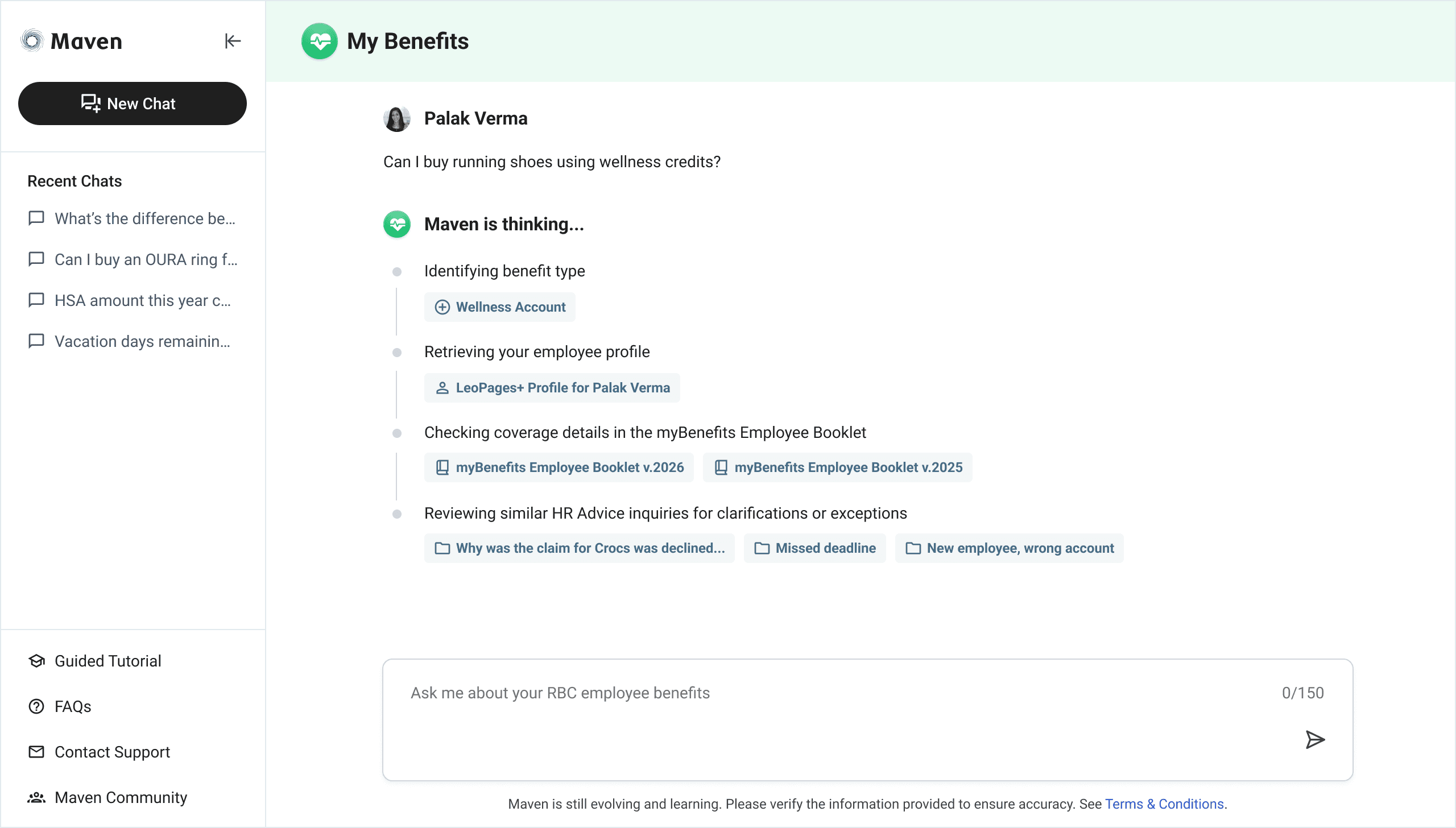
Footprints
I didn't want our AI tool to be a blackbox that simply gave an answer without users having the ability to validate where it was coming from. Users could see how the result was being generated and be able to immediately open the source within the platform after the result had generated.
Ethical Risk: Lack of transparency and ability to challenge errors. If users cannot see how an AI system reached a conclusion or challenge its outputs, they may rely on partially correct or misleading information, resulting in harm.
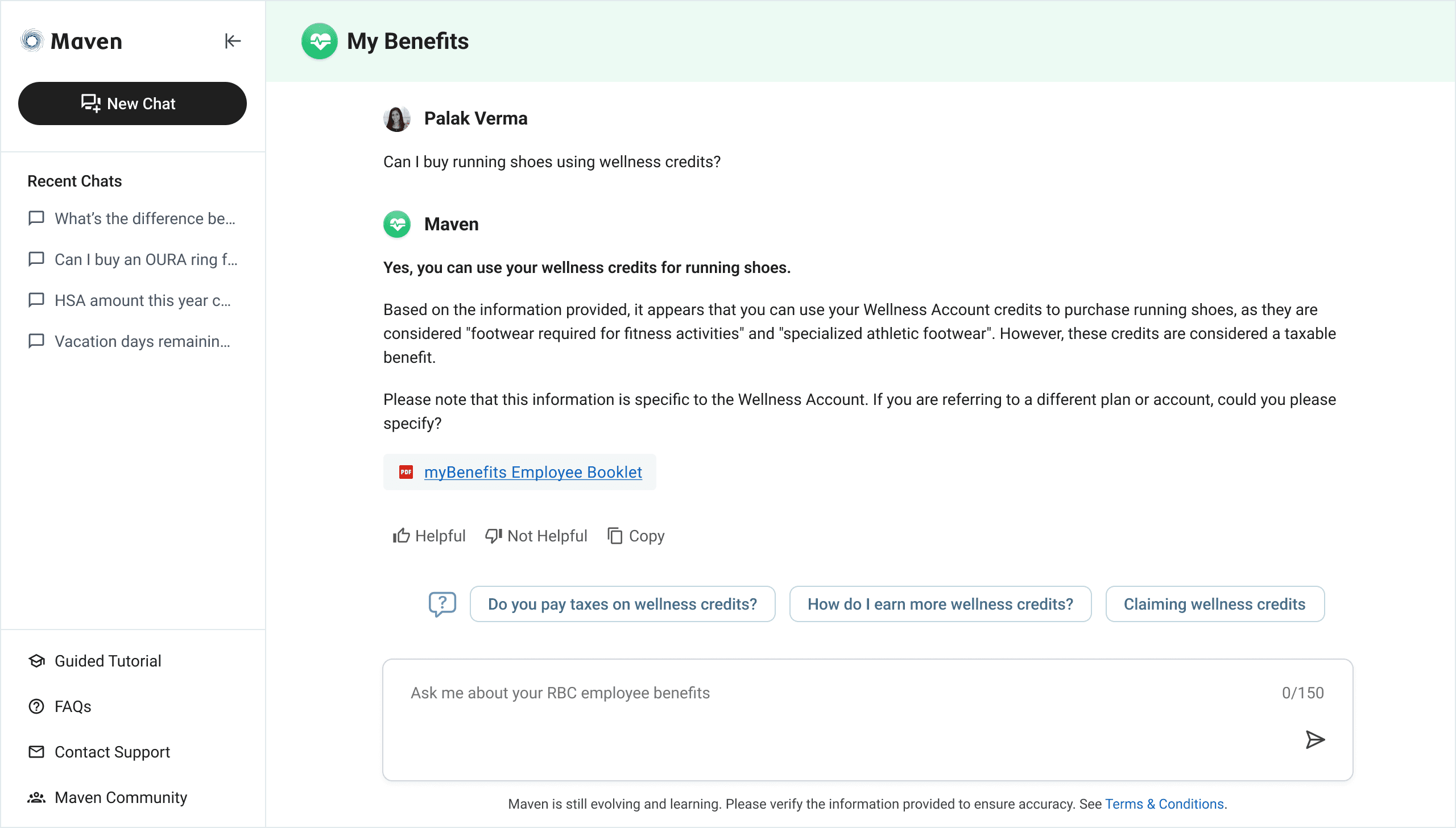
Follow-ups
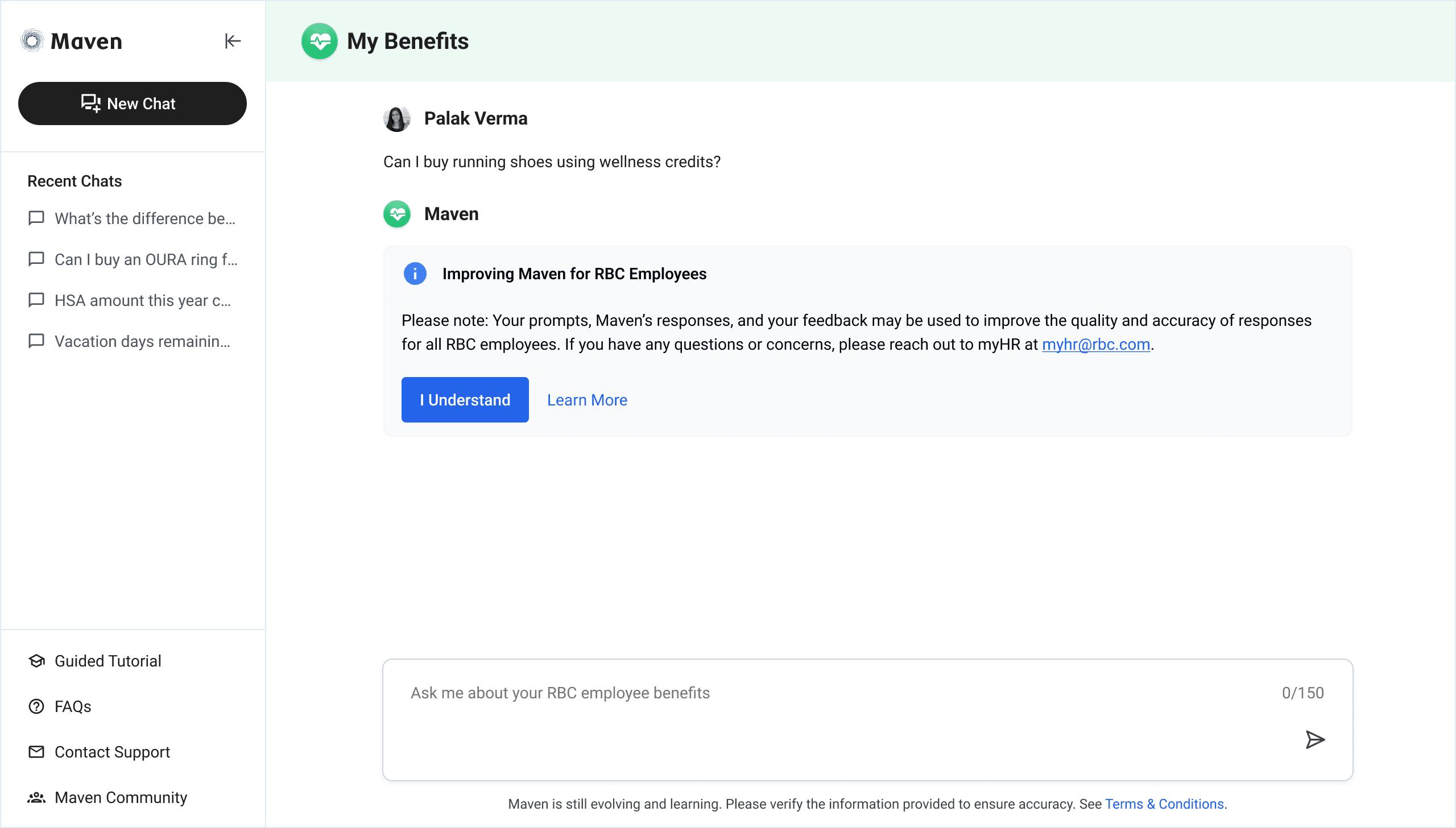
Data ownership
I clearly communicated what data was used to generate these results and how employee prompts contributed to improving them. This level of transparency helped users understand how information was produced, what data the system relied on, and how their interactions could improve outcomes in the aggregate. It also made it clear what we do not do with their data, which helped build trust in the platform.
Templates
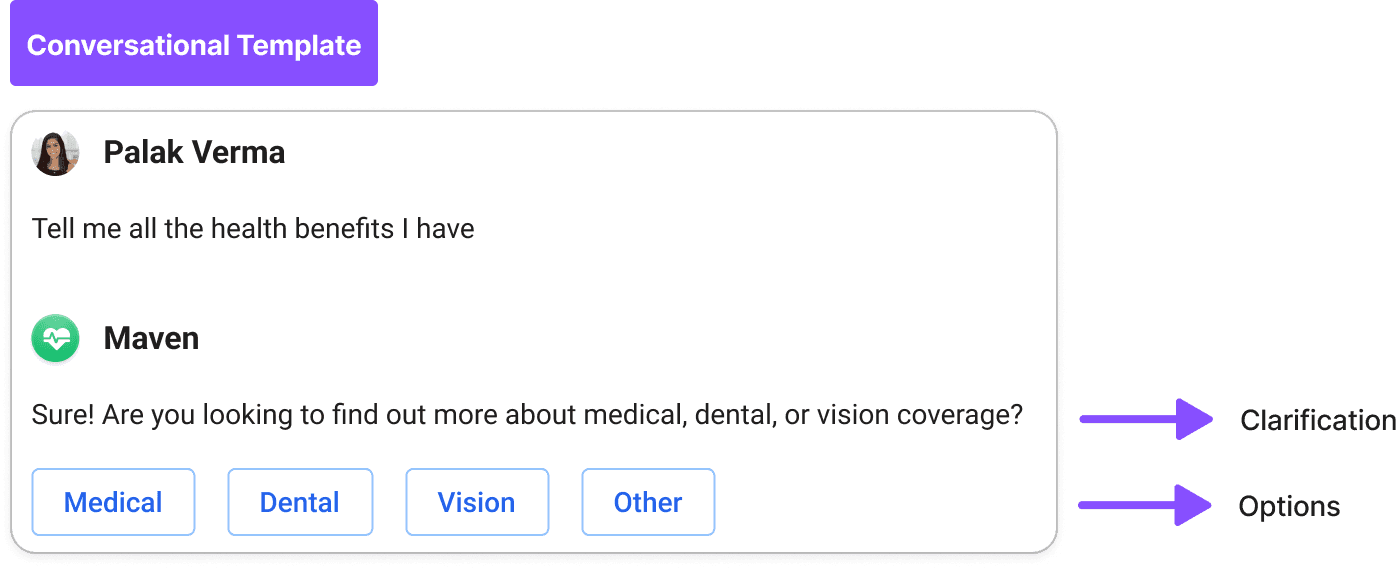
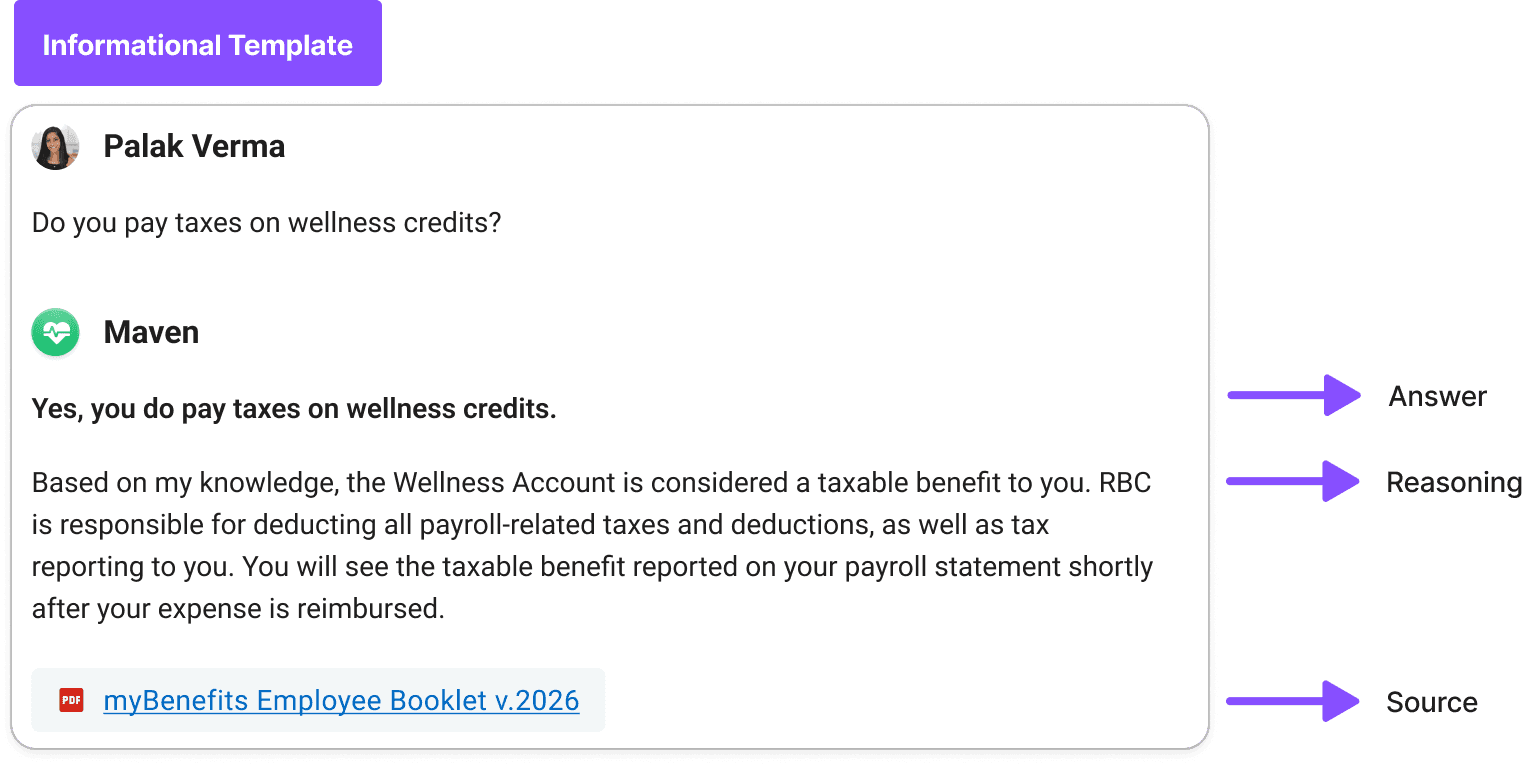
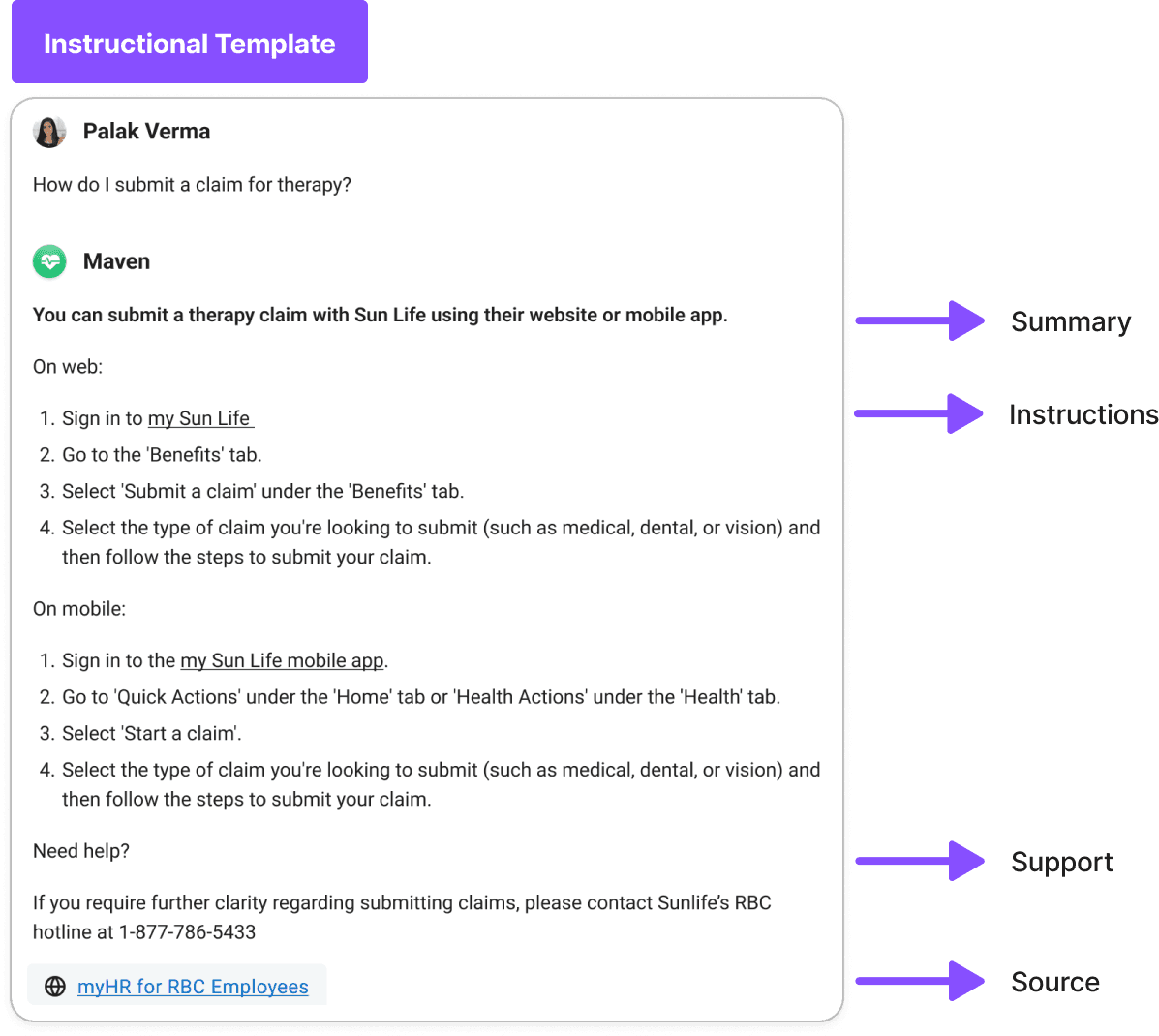
All responses followed a templated format for easy comprehension. For myBenefits, I started with 3 types of templates: informational, instructional, and conversational.
Result
Reduced benefit-related inquiries to the HR Advice Center by 60%.
Saved 100+ of staff hours per week.
Adopted by 60,000+ employees across RBC.
Made employee benefit enrolment 70% faster.
RBC executives wanted to move quickly to develop additional RBC-specific AI use cases due to the strong success of this initiative,
The biggest challenge
Testing Platform
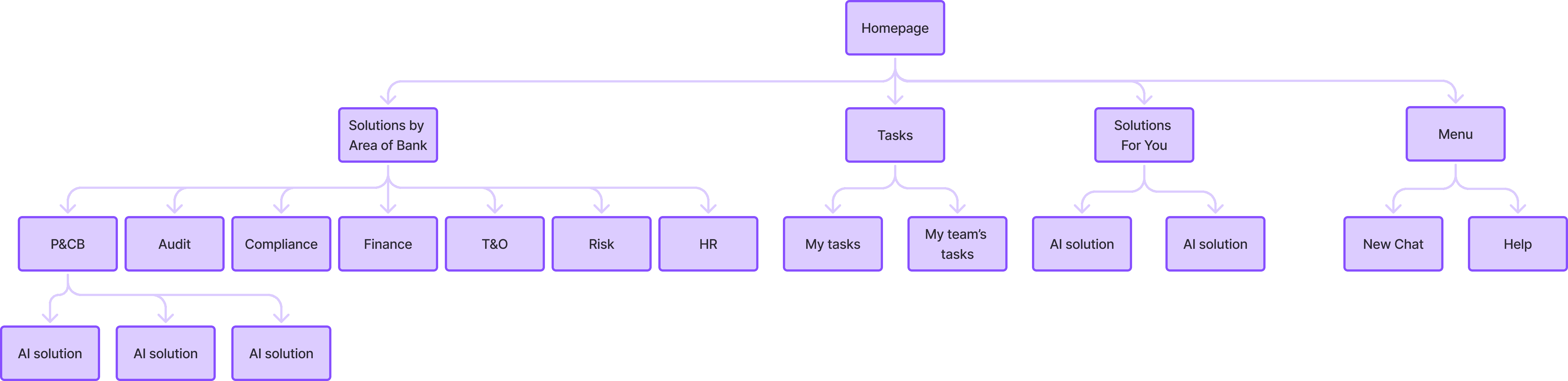
Our testing platform needed to show multiple AI solutions so each user group could find relevant tools and give feedback over several months. I organized solutions by department and added a "For You" section that surfaces personalized recommendations based on an employee's role, the time of year, new features, and other relevant factors.
Through user research, I discovered that adding "My Tasks" and "My Team's Tasks" sections would attract new users to the platform who otherwise weren't checking for new AI solutions.
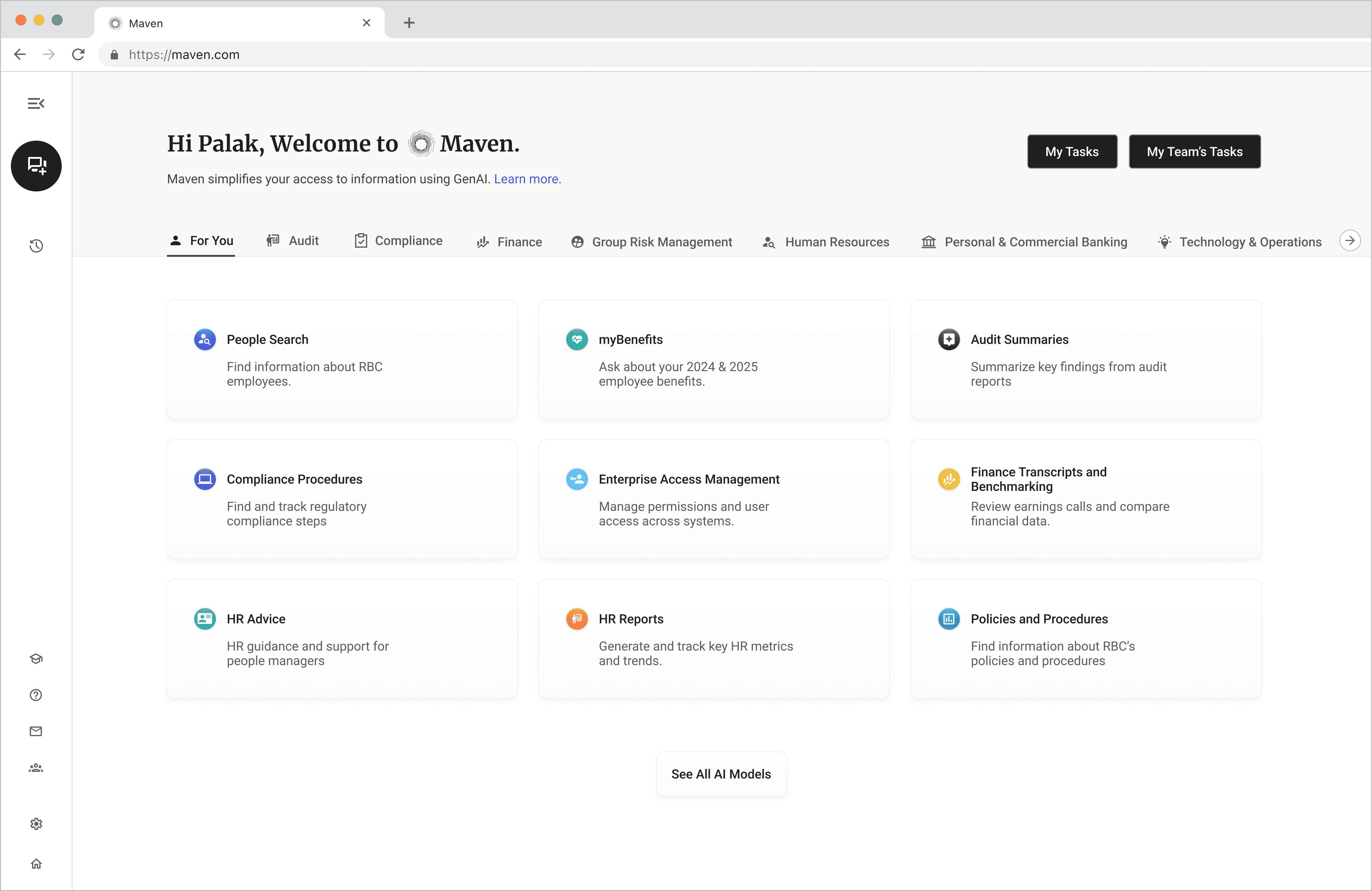
Overall Solution Structure
Each solution had unique responses and features, but users needed a consistent way to navigate the platform, access help, and understand what they could ask each model.
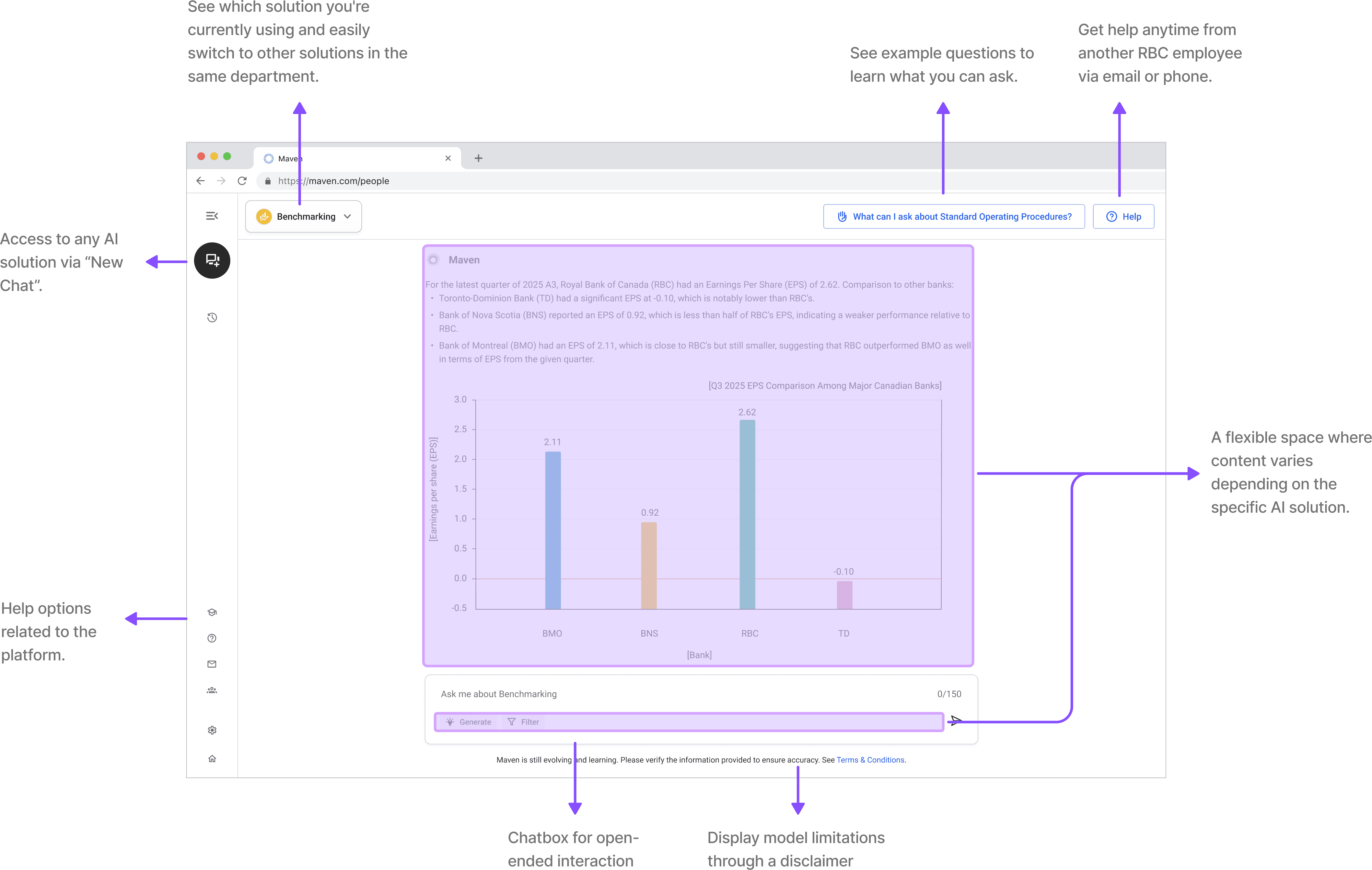
Examples from my UX framework for how employees can interact with AI.
#1 Pathfinders
Help users get started, navigate the platform, and make the most of AI capabilities since most RBC employees are new to using AI.
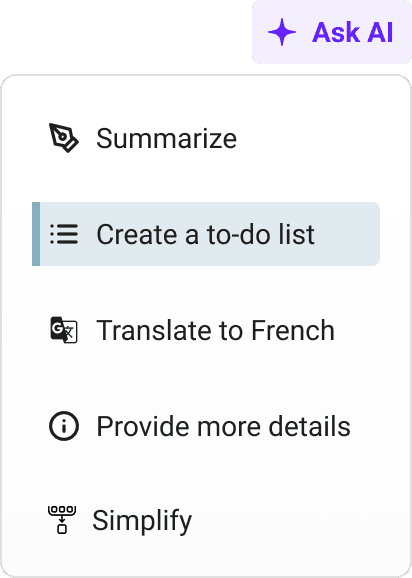
Suggest AI capabilities
I wanted to show users not just what the platform could answer, but how they could use AI capabilities in different ways. I added an "Ask AI" feature for certain long responses, letting users create to-do lists, summarize content, or simplify complex information.
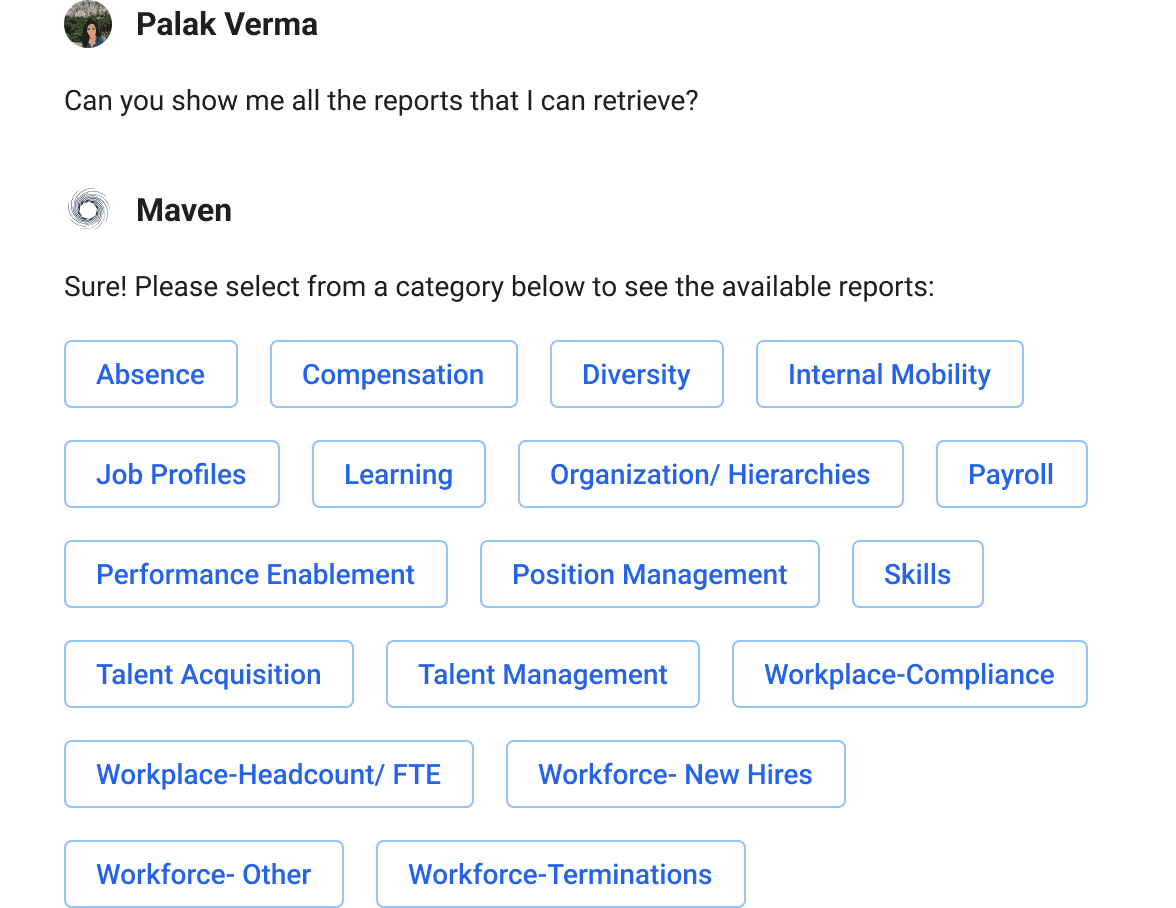
Follow-ups
Most employees are new to prompting, so the platform sometimes struggles to understand their intent. Follow-up questions help clarify what users mean and guide them toward relevant results. This also saves computational resources by clarifying the user's intent before generating a detailed response.
#2 Prompt Actions
Types of tasks or commands a user can ask an AI to do. These are actions users can trigger for specific prompts.
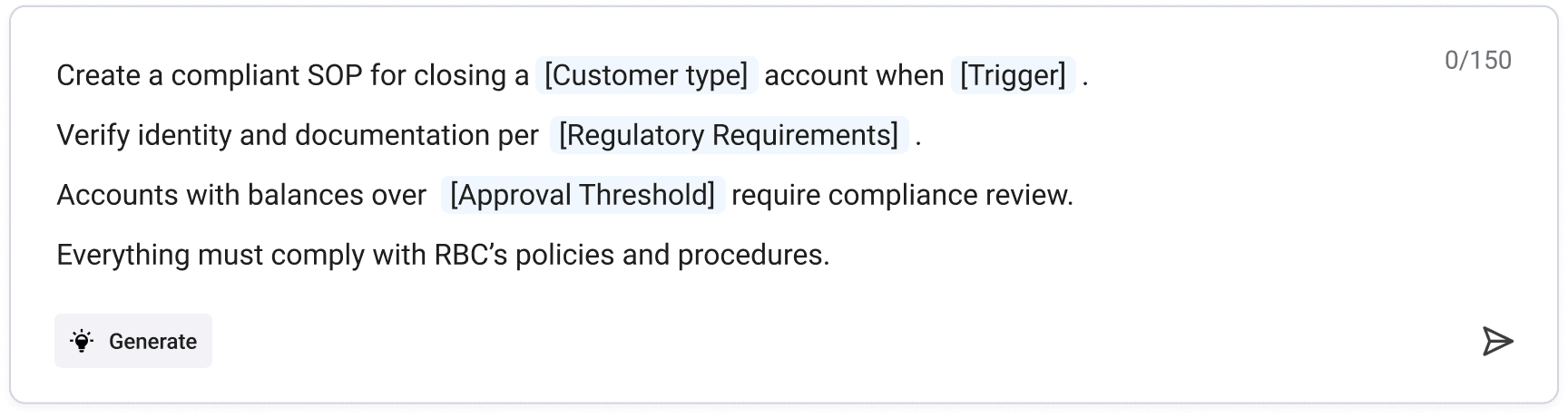
Madlibs
Some users needed to repeatedly perform the same lengthy tasks. To reduce repetition, cognitive load and errors, I introduced reusable prompts with structured, flexible inputs that let users update specific details without rewriting the entire prompt.
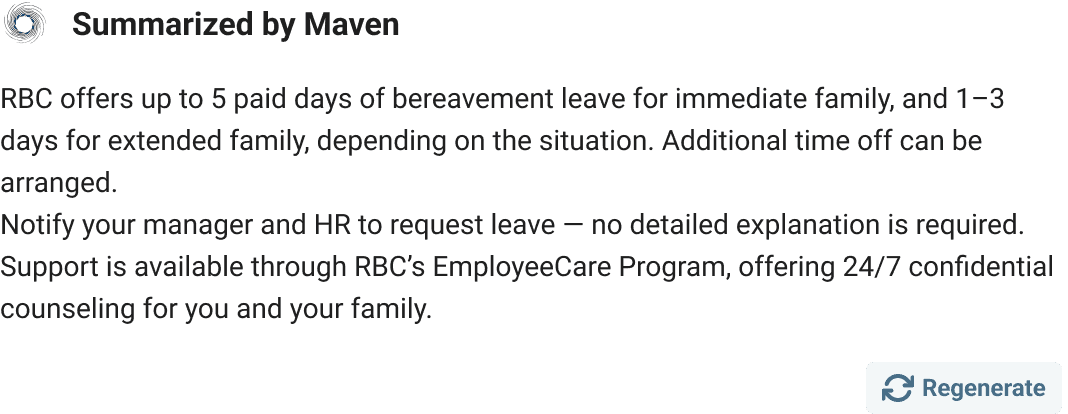
Regenerate a Prompt
If a result isn't to their liking, users can try to regenerate their initial prompt.
During UX research, I discovered this regenerate option is commonly used for subjective prompts like "create a summary." For objective prompts like "Show me Q4 results for X Bank," users preferred editing their initial prompt instead of clicking "regenerate."
#3 Maintaining Oversight
Letting users to maintain control within defined guardrails.
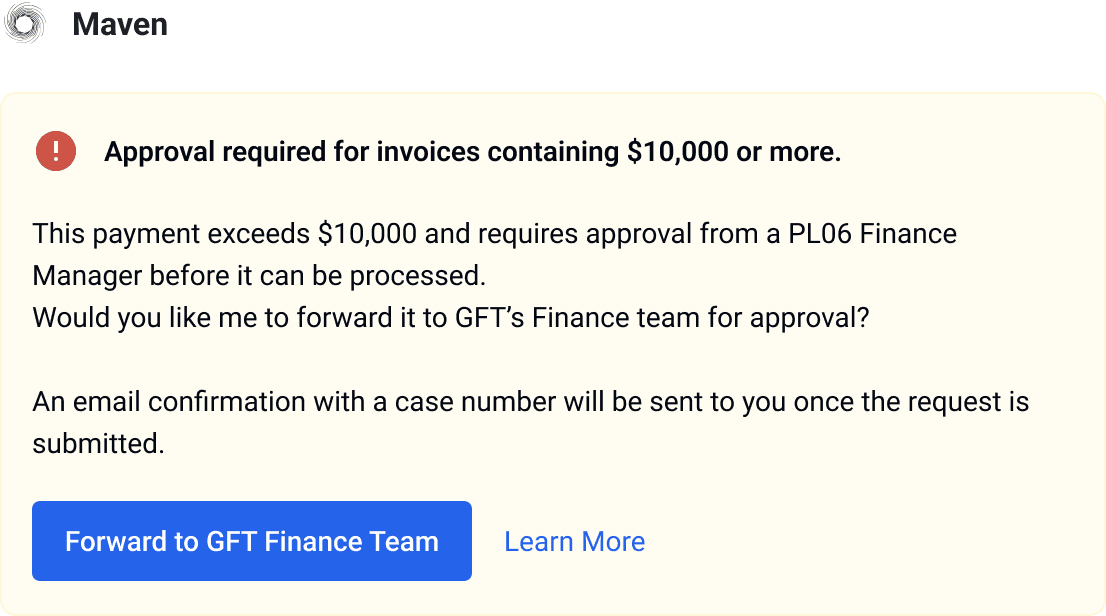
Human-in-the-loop!
There were clear thresholds in each use case where AI couldn’t proceed without human intervention/verification. A key design decision was identifying when the execution should stop/pause so the human could take control. These actions were critical in building trust with employees and lowering risk without compromising efficiency.
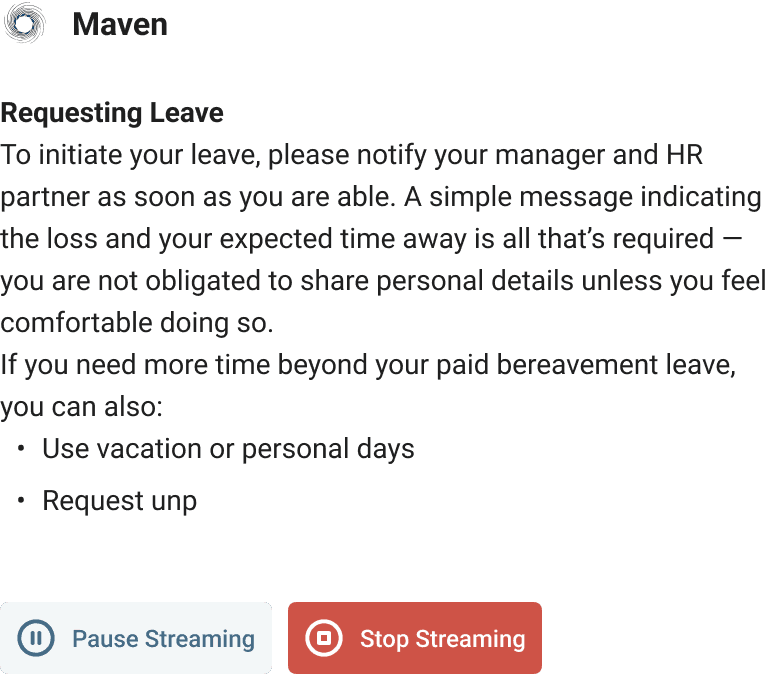
Controls
It can be very costly to keep running a prompt when it might not be what the user wants. It can also be time consuming for the user to wait for a response to generate for a unintended prompt. We want to give users to ability to be in the driver's seat to stop the response from streaming.
#4 Tuning Input Data
Changing the inputs details to get better results.
Model management
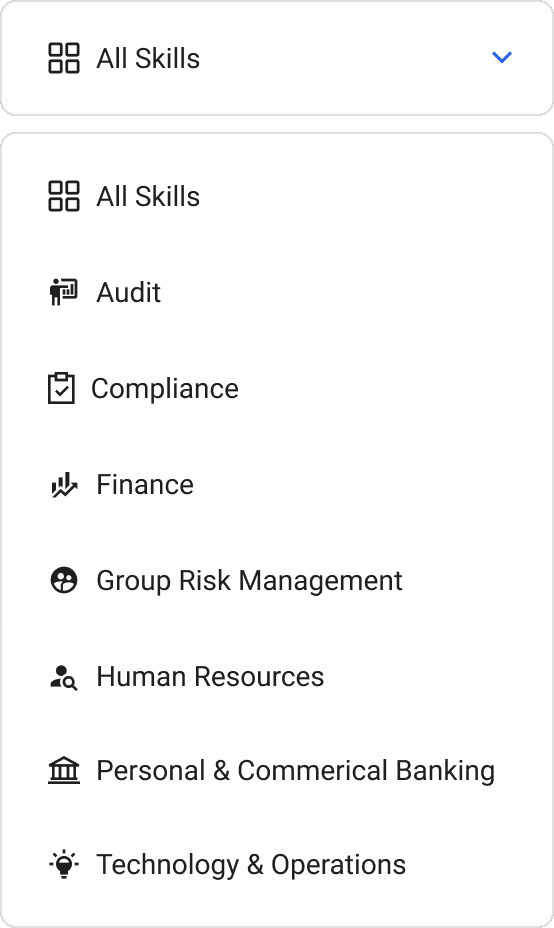
After testing a solution, we integrated it into the general AI tooling. A problem occurred: some users only wanted it for one specific task. Since the goal of the general tool was to have broad knowledge, we didn't want to restrict it for certain users. Model management solved this by letting users switch between separate AI skills and set their preferred model as the default for their role.

Filters, attachments & modes
Users can add their own content or filter by specific sources to get the results they want. This helps the AI provide more accurate responses by narrowing the inputs. This lets people to use the tool confidently in different contexts rather than relying on a "one size fits all" solution.
#5 Building Trust
I wanted users to know they could trust the results they were getting.
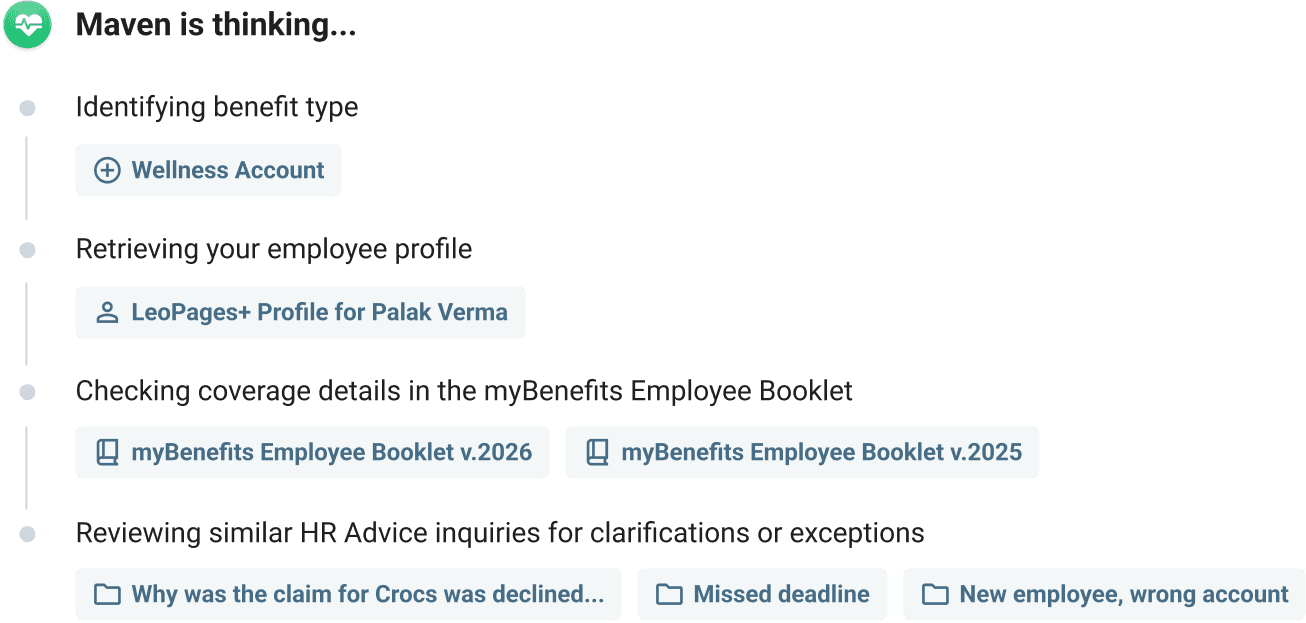
Footprints
Footprints show how AI was used to create or change something. They help people trust the result, check sources, and prevent AI-generated work from being passed off as human.
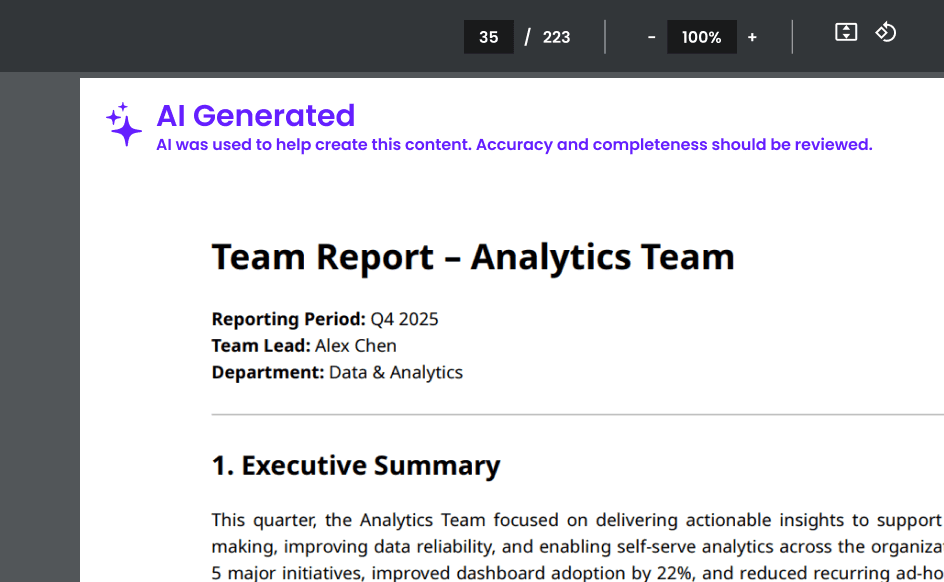
Watermarks on AI Generated content
Anytime users tries to download or copy material generated from our AI tool, it would have a watermark that would help the set expectations with the receiving party.
Project Results
Key workflows across finance, risk, compliance and HR improved 3x for 40% of users.
Generated 10+ million is productivity value as measured by flows pre and post AI usage.
21% adoption rate in the first 3 months, increased to 35% after 6 months.
Finance analysts reduced ticket issue resolution time from 2 hours to 30 minutes.
65% of users return to the tool within 7 days.
Received “Leadership Model” award given to 0.001% of employees.