How we got employees to return to the office after 1.5 years of remote work
Introduction
After spending 1.5 years working remotely, teams at the Royal Bank of Canada (RBC) are now being asked to adopt a hybrid work style by going to the office 2-3 days a week.
As part of the employee collaboration team, we were tasked with creating tools that assist and encourage a "return to office" transition as well as discover and address new pain points as they arise.
Results
✅ Drove 33% monthly active usage within 2 months of launch, validating need for the experience.
✅ Defined and implemented success metrics that informed roadmap prioritization post-launch.
✅ Received a “Driven to Create Impact” award for driving measurable user and business impact.
Solution
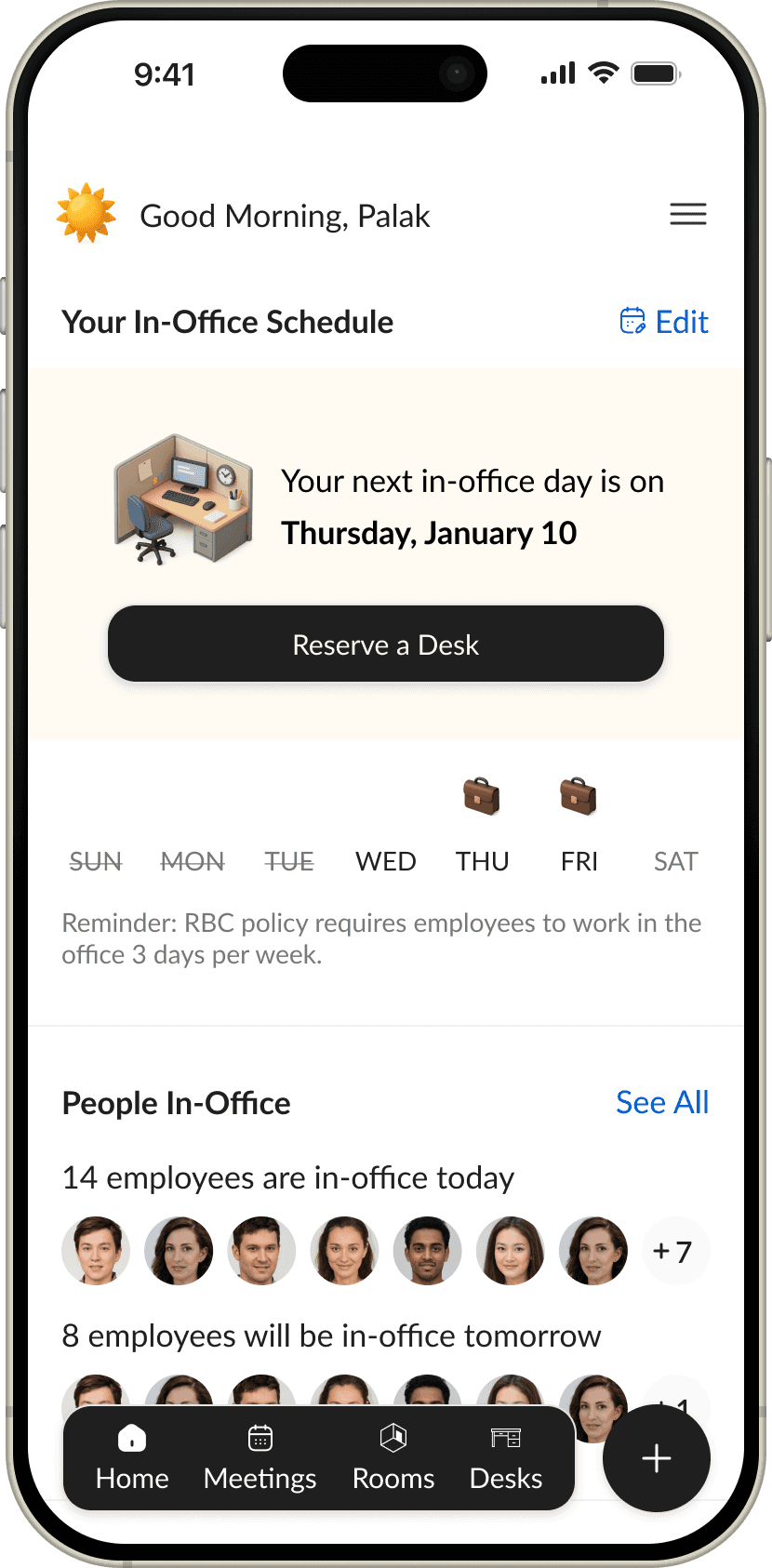
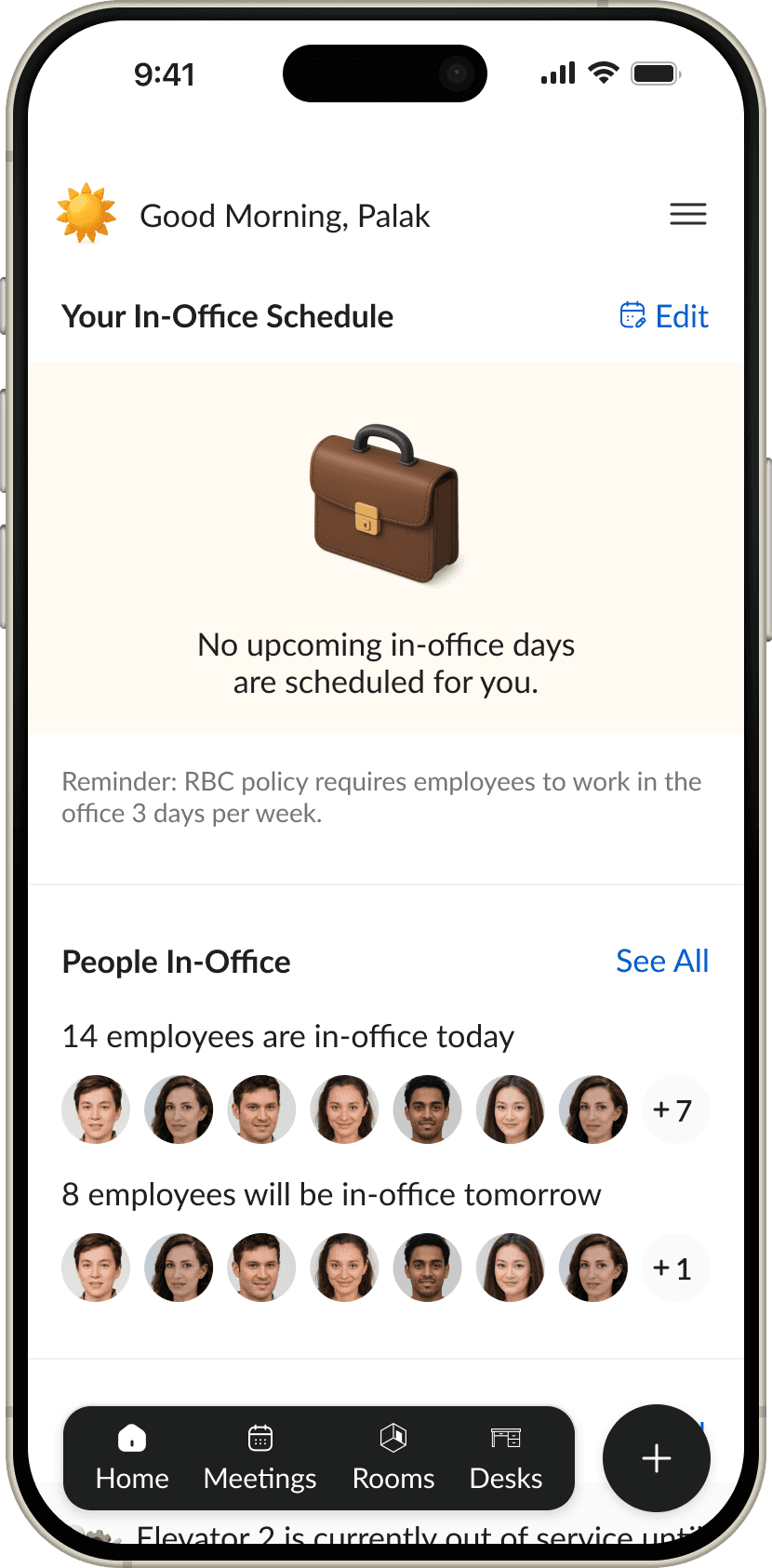
An in-person day scheduler for RBC employees and their teams to find the best days to work in-office vs. remotely.
Key Flows
Colleague in-office days at a glance
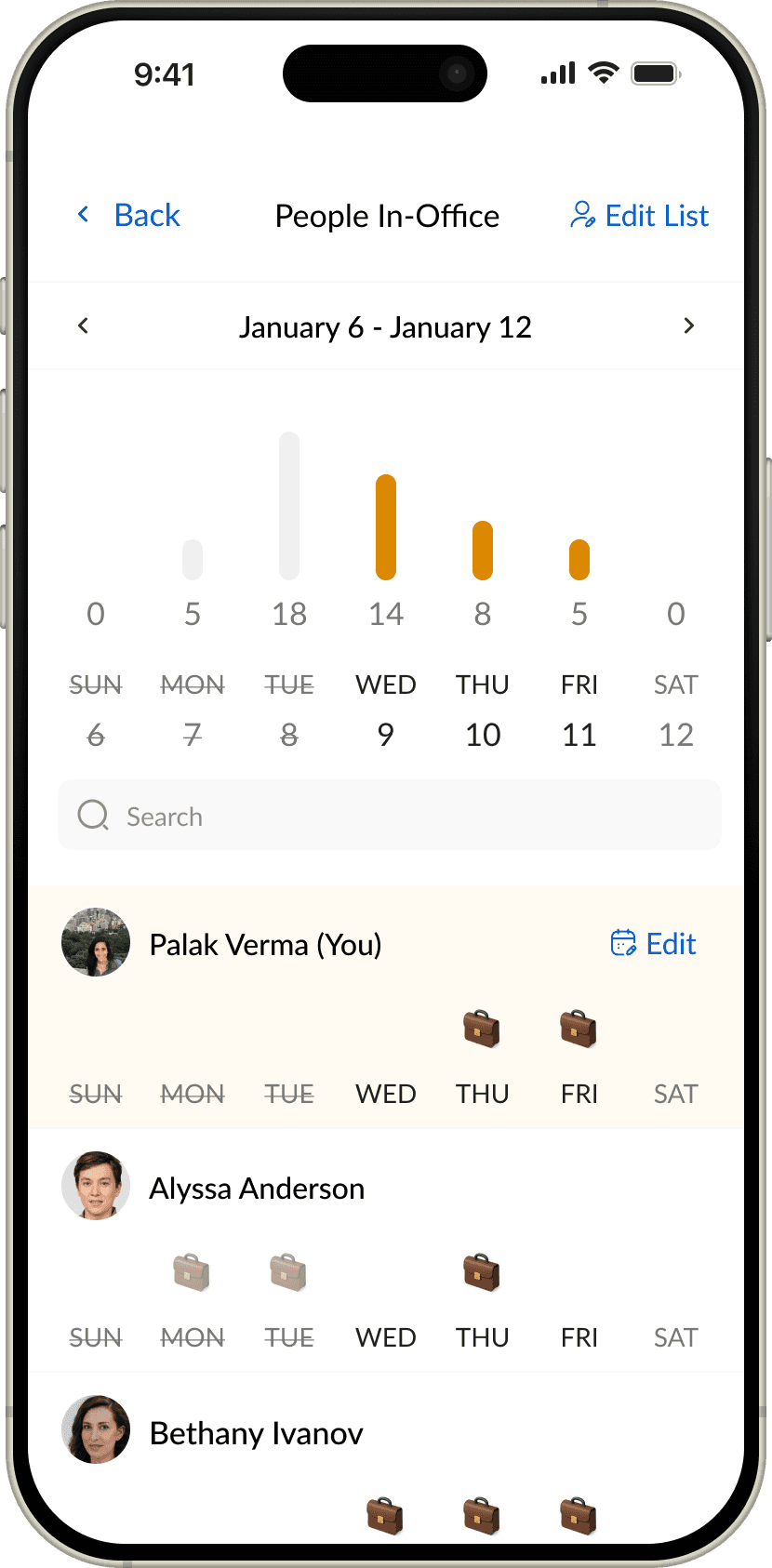
The "In-Office Schedules" tile provides employees with a preview of how many team members will be in the office in the upcoming days.
View in-office days of colleague
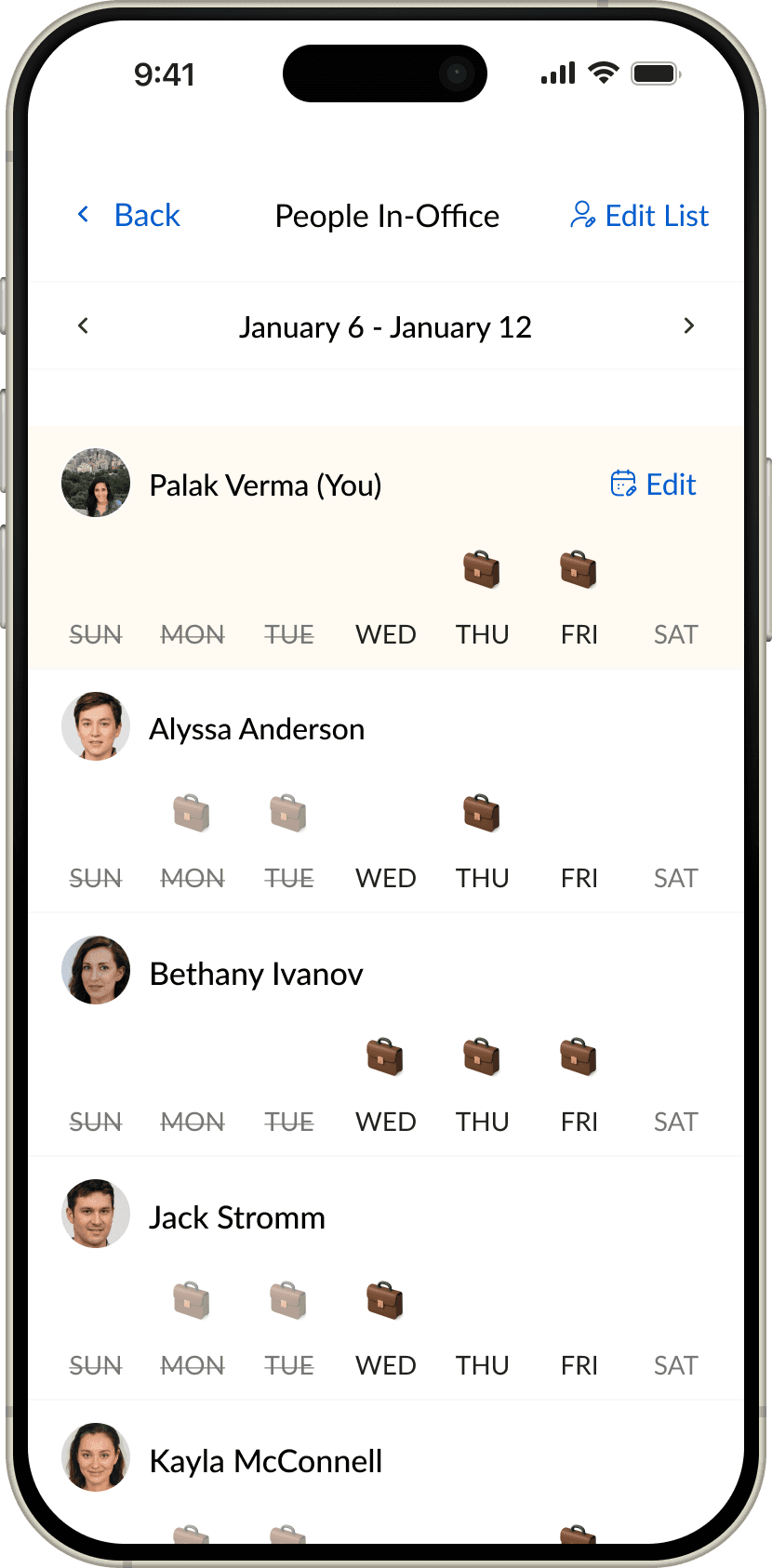
See when a specific colleague will be going to work. This can help with arranging in-person meetings or events on those days.
Understand
I wanted to gain a better understanding of why the initial wave of employees were volunteering to be in-office and what issues existing hybrid teams were encountering when planning to be on premises.
User Research
I led our product team of 2 through the user research interviews and administered a company-wide survey. I interviewed 25 employees across 8 different departments in 3 countries (Canada, USA, UK).
See the full research report & key insights
The main problem
The primary reason people wanted to go on premises was to meet up with their team but it was often difficult to schedule in-person days. Employees also wanted to meet new people on their extended team but didn’t know when they were going to be available.
User Segmentation

Hybrid employees whose days are dominated by meetings.

Hybrid people managers.

Employees whose days are not dominated by meetings.
For the MVP, I wanted to focus on providing a solution hybrid managers, hybrid individual contributors and hybrid collaborators. Incorporating remote only and in-person only employees will be important later in the hybrid transition.
User Journey
I created a user journey that aims to understand the experience of all employees returning to premises. This journey kept changing over time as official restrictions, company procedures and employee behaviour changed during the pandemic.
Critical pain point
Employees (especially in larger teams) don’t have a way to determine the best in-person day without repeatedly asking everyone their schedule.
MVP
For the first version, I prioritized the following features:
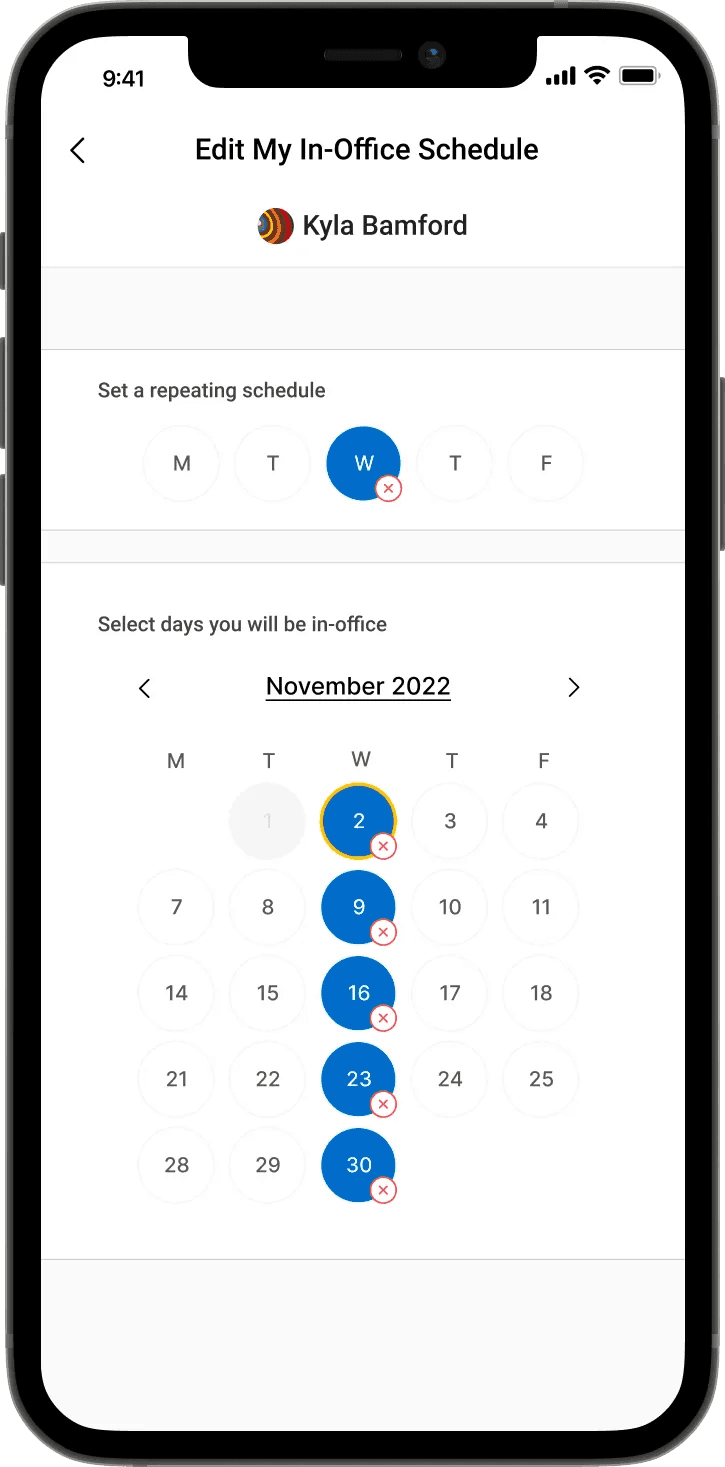
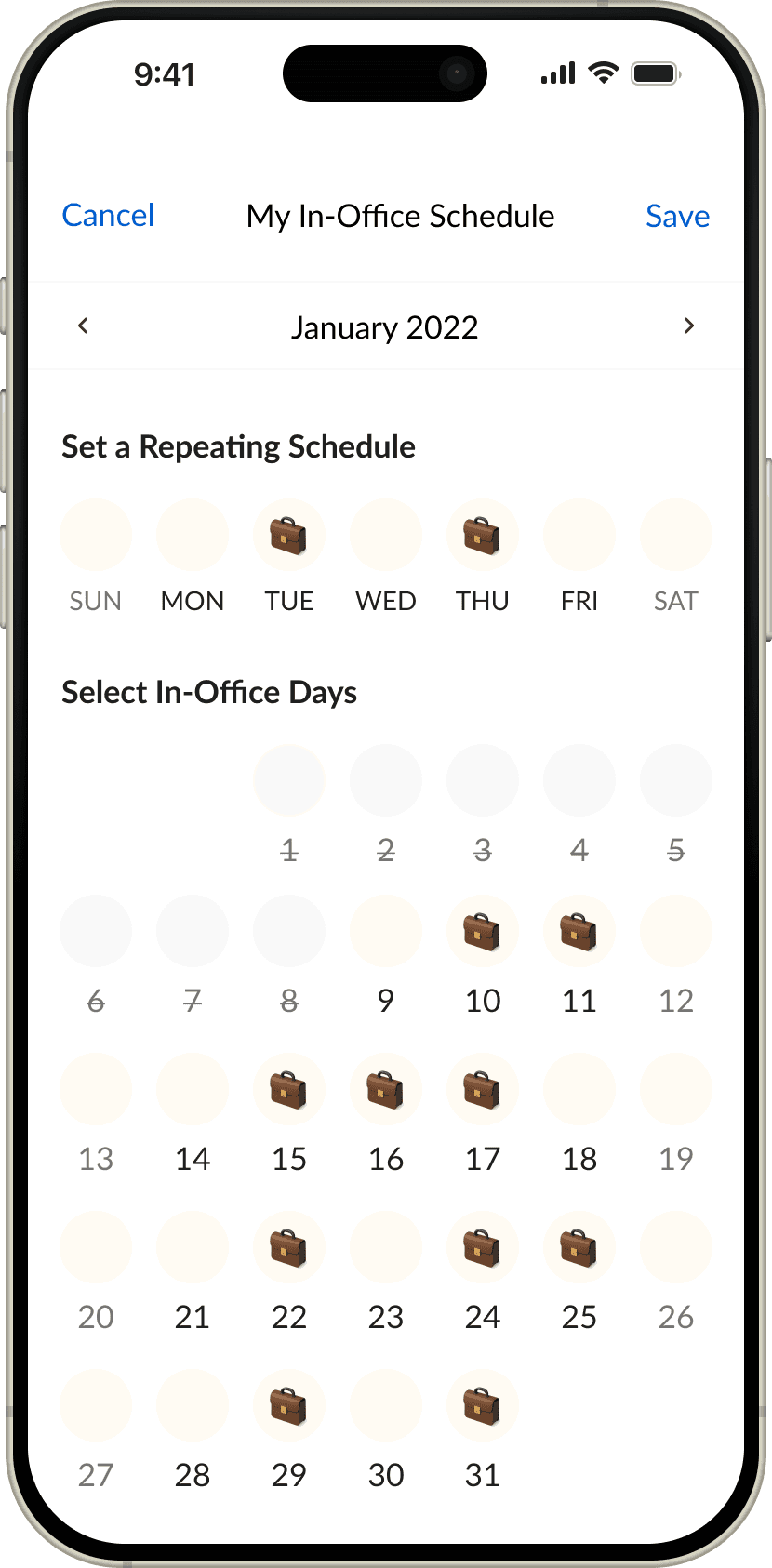
Employees can enter their own hybrid schedule
Employees can view other’s hybrid schedule
Employees are able to create a simple list to keep track of their team’s schedule.
Low-fi Wireframes & Product constraints
Employees would only be able to add their in-office days up to 3 months from today’s date. This is to ensure calendars are up to date and employees aren’t setting them 6 months in advance and forgetting about them. (3 month estimation determined via survey).
For the MVP, we want to encourage employees to input their schedules before viewing everyone else’s.
Employees should be able to view people coming in on a specific day.
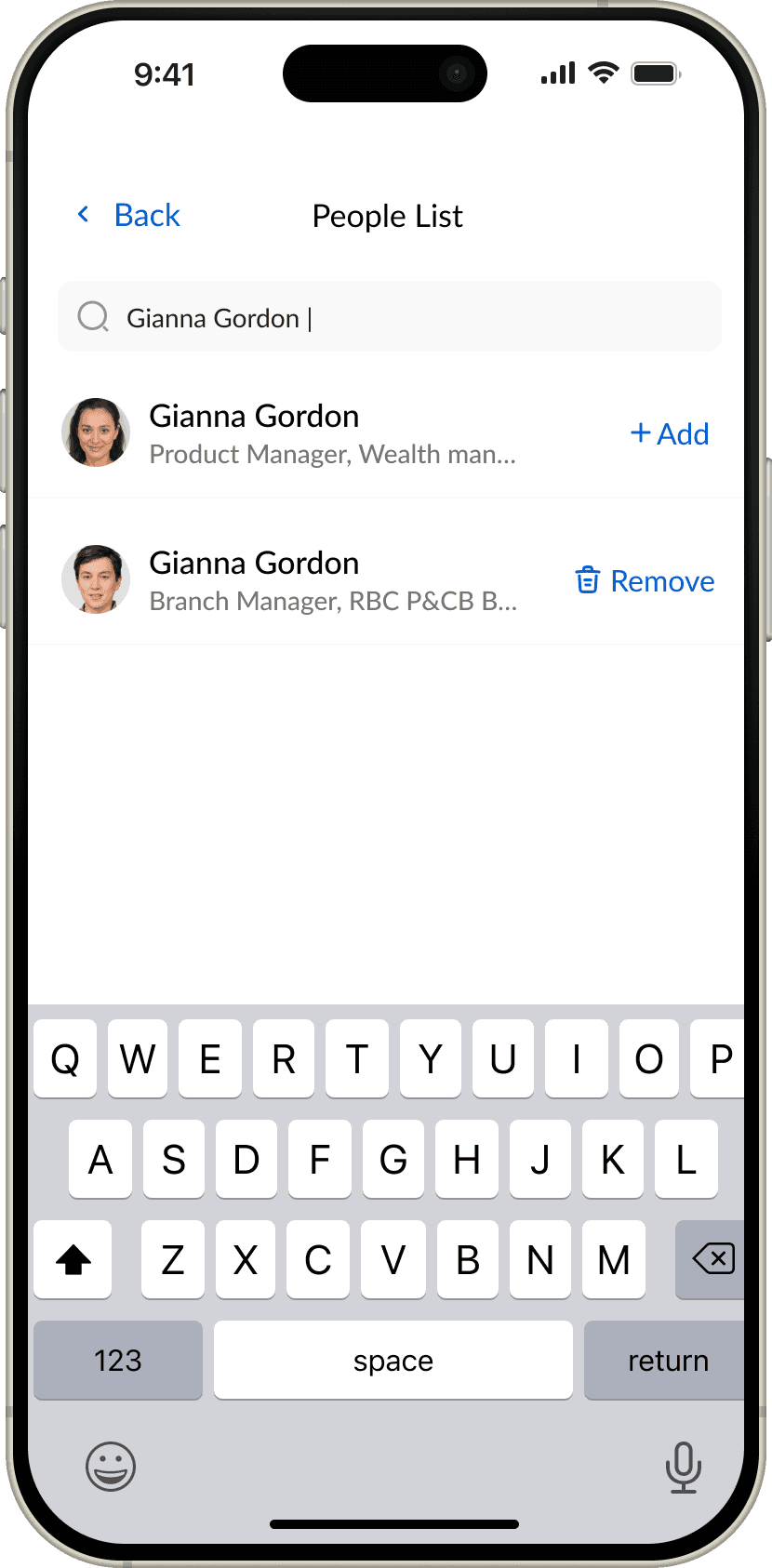
Employees should be able to view someone’s picture, job title at RBC and name before adding them to their list. This is so they don’t add someone with a duplicate name and job title.
UX/Product Metrics
North star metric
Accuracy of in-office schedules stated by employees.
Adoption: How many users attempted to use the feature?
Number of users that clicked on the Waldo tile.
Number of users that clicked on the Waldo tile - new vs. existing users.
Percentage of users who clicked on the Waldo tile.
Engagement: How many times the user did something meaningful?
Number of users that attempted to change the timeline.
Number of users that clicked on the Waldo tile - new vs. existing users.
Number of users that are looking 1 or 2 or 3 weeks in advance
Number of people that clicked on the edit my schedule page.
Percentage of people who only selected recurring days
Percentage of people who only selected adhoc days
Percentage of people who selected both/combination
Number of users that clicked on waldo tile and also added or removed someone from their watchlist.
Number of users that attempted to toggle through the MTWTF filters.
Retention: Are people coming back to do this?
Number of daily active users that stayed on for at least 5 seconds.
Number of weekly active users that stayed on for at least 5 seconds.
Number of monthly active users that stayed on for at least 5 seconds.
In a week, on average, how many times did someone go into Waldo app?
How frequently (number of days) is the average user updating their schedule?
In a week, how many times did the average user toggle through the MTWTF buttons?
In a month, how many times did the average user toggle through the MTWTF buttons?
Percentage of users that toggled through MTWTF filters, selected the day with the today label.
My Takeaways
When creating any tracking tool, it’s important to be aware of the language you’re using throughout the app. For Waldo, we initially used the term “Watchlist” for seeing other people’s schedules. However, employees felt that because of this wording, we were tracking other items as well (location, employee information, etc). By switching to “List”, this assumption was eliminated.
92% of the users said they wanted a year long calendar so they could input in-office days. However, through the metrics we found that less than 10% of users set their schedule past 3 weeks.
While dates are super important for clarity, a lot of employees at RBC operate on a day of the week basis. This is due to recurring meetings and bi-weekly planning in agile environments. When the user has trust in the week being presented, they overlook the date and simply select the dates.
Maintaining the accuracy of features where user input is consistently required is hard to do. We used a combination of push and in-app notifications and email reminders to ensure it was as accurate as possible. This is why we had to limit repeating schedules to 3 months despite being heavily requested.